
Your existing system.
One modern interface.
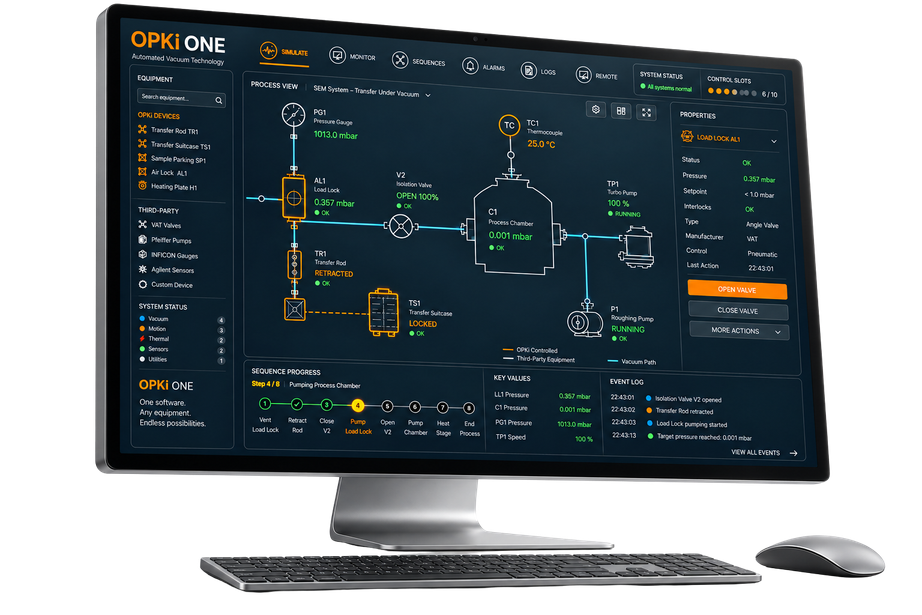
Bring compatible existing instruments and OPKI equipment together. Control devices, automate sequences and monitor your vacuum system from one interface.
Start with your equipment: try the interactive simulator to estimate your Control Slots.
 OPKI / CONTROL & AUTOMATION SOFTWARE
Bring your existing vacuum system into a unified workflow.
A vacuum installation can combine instruments from different manufacturers and generations. OPKI ONE can bring supported existing equipment together with OPKI modules in the same control environment.
Older instruments can be integrated when their communication interfaces, commands and feedback are supported. We assess each model and configuration to define what can be monitored, controlled and automated.
Your installed equipment
RS232 / RS485 · TCP/IP · USB · Modbus · CAN / DeviceNet
Control · Recipes · Monitoring
Interface availability alone does not guarantee compatibility. Support is confirmed for each device model and configuration.
One System. One Interface. Control integrated equipment, build graphical recipes and monitor your vacuum workflow from a customisable dashboard.
Build graphical recipes
Combine Action, Wait and Condition blocks to coordinate integrated devices. Save, copy, reuse and export your recipes.
Monitor your system
Arrange a personalised dashboard with available pressure, temperature and status values. Follow sequence progress and review event logs.
Manage operating rules
Administrator-defined rules permit or block commands in the applicable operating modes, including for the Administrator.
Choose your edition.
Scale with your equipment.
From a single device to a complete vacuum chain. Choose the capacity and functions your installation needs, with room to grow.
Solo
2Control Slots
For a single piece of equipment.
Starter
5Control Slots
For small systems with up to 5 slots.
Essential
10Control Slots
For laboratory installations.
Pro
UnlimitedControl Slots
For large facilities and OEM solutions.
Not sure how many slots you need?
Choose your equipment, adjust the quantities and watch your slot estimate update.
What is a Control Slot?
Each item of equipment uses a number of Control Slots based on its complexity. A slot is a unit of control capacity: one device can require several slots.
1 + 1 + 1 + 2 = 5 slots
Add capacity as you grow.
Additional Control Slots can be added when your equipment needs change.
Illustrative equipment categories. Device compatibility and the capacity required for your configuration are reviewed with OPKI.
Explore capabilities across the OPKI ONE range
- Real-time monitoring
- Manual control
- Alarms & interlocks
- Sequences, recipes & automation
- Data logging & reporting
- User management
- API & integration
- Multi-system management
- Priority support
Feature availability depends on the selected edition and configuration. We will help you define the appropriate feature set for your installation.
See OPKI ONE with your workflow in mind.
Tell us which equipment you use. We will discuss compatibility, the edition and Control Slots you need, and a demonstration.
Build your system.
See your Control Slots.
Add your equipment and adjust the quantities. Your estimated control capacity updates as you build.
Choose OPKI, use fewer slots. Each OPKI Transfer Rod includes a 1-slot credit, applied automatically to this estimate. A transfer rod from another manufacturer uses 2 slots.
Vacuum valve
1 slot
Pressure gauge
1 slot
Pump
1 slot
Heater
2 slots
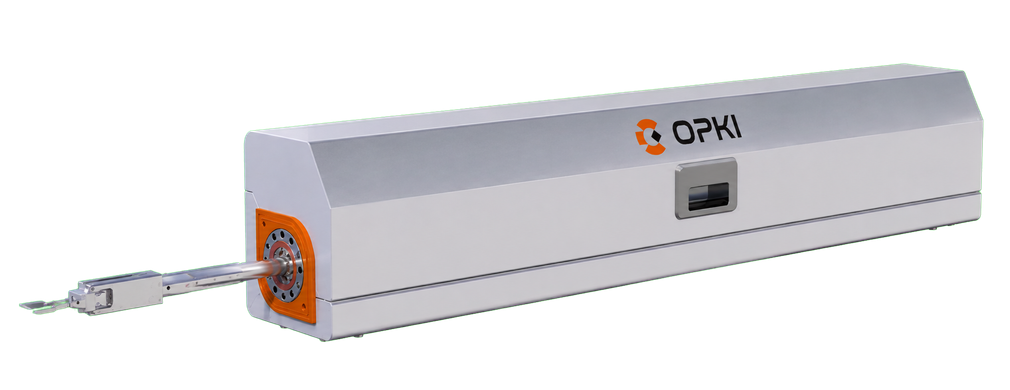
OPKI Transfer Rod
OPKI credit included
1 slot
Other Transfer Rod
2 slots
Sample parking
2 slots
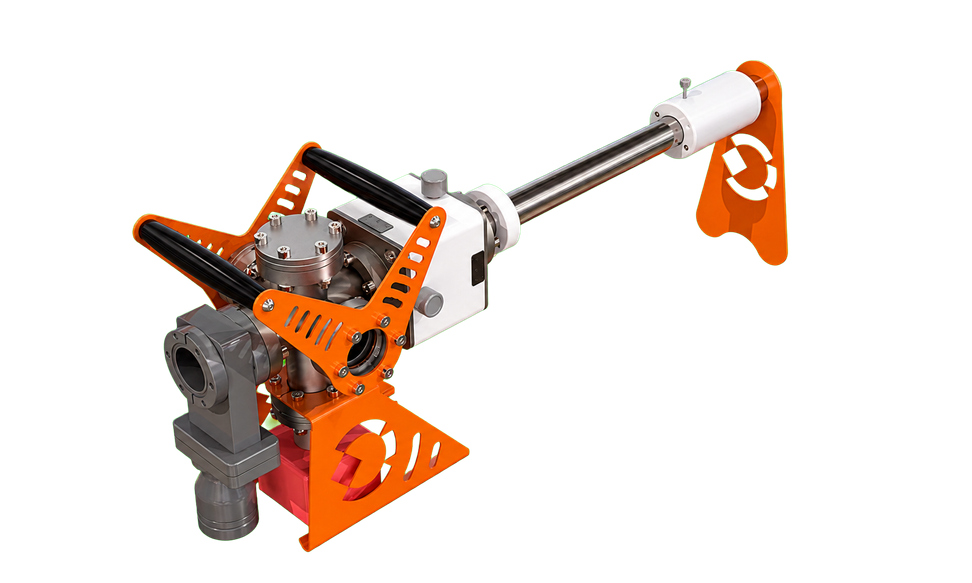
OPKI Transfer Suitcase
3 slots
Manipulator
4 slots
Enable JavaScript to use the interactive estimator. Equipment slot values are shown on each card; contact OPKI for help with your configuration.
Software features
Available functions depend on the edition, integrated devices and system configuration.
| Product | OPKI ONE |
|---|---|
| Manual control | Commands available for integrated devices, within user permissions and operating rules |
| Sequence editor | Graphical flowchart with Action, Wait and Condition blocks |
| Recipe management | Save, copy, reuse and export recipes |
| Monitoring | Customisable dashboard, sequence progress, graphs and event logs |
| Alerts | Condition-based popup and email notifications |
| Access levels | User, Expert and Administrator |
| Equipment integration | OPKI and supported external equipment; compatibility confirmed per model and configuration |
| Communication families | RS485 / RS232, proprietary USB, TCP/IP, Modbus, CAN / DeviceNet, according to supported devices |
| Deployment | Interface hosted by the system’s Linux server PC; access from devices on the system network |
| Local operation | With or without Internet; email notifications require access to an email service |
Available commands and feedback depend on the connected device, its model and configuration. Equipment compatibility is confirmed during technical review.
Integration & configuration
A defined path to integration.
Review your installation
Share the equipment list, model references, interface documentation and the operations you want to improve.
Define the control scope
Confirm device support, available commands and feedback, then specify the dashboard, recipes and operating rules.
Validate the workflow
Verify the integrated functions and operating sequences against the agreed requirements for your installation.
Can OPKI ONE control an older vacuum installation?
Yes, when the relevant devices provide supported communication interfaces and command sets. The assessment considers each model, configuration and required function, so the age of the installation alone does not determine compatibility.
Can equipment from different manufacturers work in the same interface?
OPKI ONE supports OPKI equipment and compatible external devices. Available commands and feedback vary with the integrated device and its configuration.
Does the system need an Internet connection?
The interface is hosted by the system’s Linux server PC and accessed from devices on the system network. Local operation is possible with or without Internet. Email alerts require access to an email service.
Specify your integration.
Request the software feature reference and discuss the equipment integration required for your system.
Related products
Let’s connect your workflow.
Share your existing equipment list and the workflow you want to control. We will review compatibility and define a practical integration scope.