
Vacuum systems.
Built for your process.
We combine sample handling, vacuum chambers, process modules and control software into an architecture designed around your application.
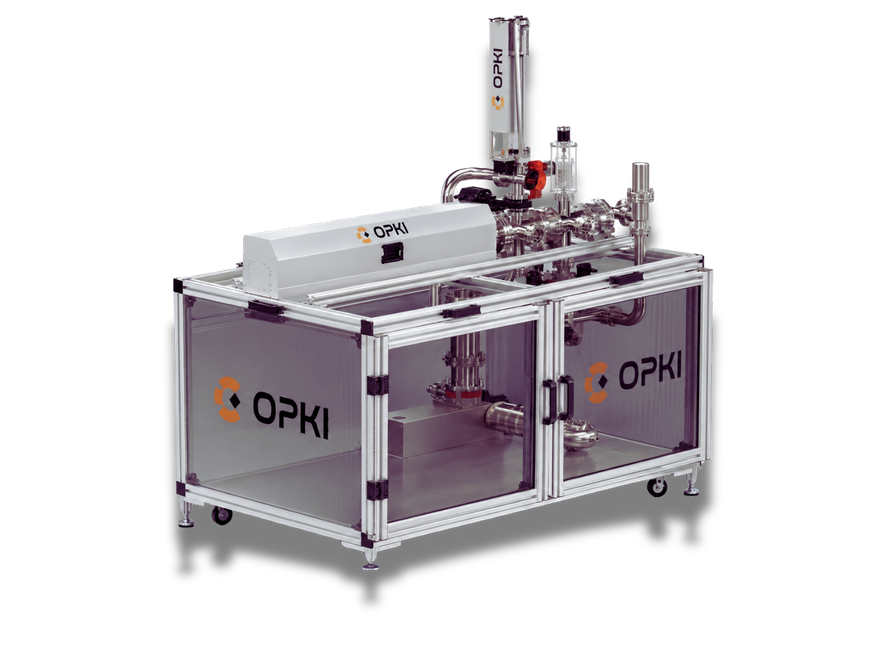
Your application defines
the architecture.
Build a coherent path from sample introduction to processing, storage and transfer. Mechanical design, vacuum interfaces and control logic are considered together.
Start with the sample
Define the holder, handling constraints and preparation or analysis steps that the system must support.
Connect the process
Coordinate chambers, transfer mechanisms and instrument interfaces across the required vacuum workflow.
Specify the operation
Define manual functions, automation sequences, monitoring and operating rules for the intended use.
Inside a preparation system.
This platform illustrates one system architecture OPKI can build. Its combination of modules is adapted to the sample, process and instrument interfaces of each project.
Motorized sample transfer ↗
Move the sample between preparation, storage and analysis positions.
Three-axis positioning
Position the sample with a motorized manipulator.
Thermal annealing
Integrate controlled sample heating and automated annealing sequences.
Ion bombardment
Integrate an ion gun for surface cleaning and preparation before analysis.
In-vacuum storage ↗
Park samples under vacuum between process steps.
Vacuum transport ↗
Transfer samples to a compatible system using a vacuum suitcase.
Design the sample’s journey.
An illustrative workflow brings the required handling and process steps into a coordinated operating sequence.
Introduce
Load samples through a dedicated introduction interface.
Transfer
Route samples between the selected process positions.
Prepare
Combine the preparation functions required by the application.
Store
Keep samples under vacuum between operations.
Transport
Connect the workflow to another compatible instrument.
Workflow shown as an example. The order, process steps and available functions depend on the selected architecture and integrated devices.
Configure the complete system.
Combine the functions your application needs, from a focused transfer arrangement to a multi-module preparation platform.
Sample handling
Transfer rods, positioning and storage configured around your sample format.
Vacuum environment
Chambers, load locks, pumping interfaces and pressure monitoring specified together.
Instrument interfaces
Docking and transfer connections defined for the instruments in your workflow.
Control & automation
OPKI ONE coordinates supported devices, operating rules, recipes and monitoring.
Connect your system
to one control environment.
OPKI ONE brings compatible OPKI and external equipment into a unified interface. Supported existing instruments can be incorporated following a review of each model, communication interface and required function.
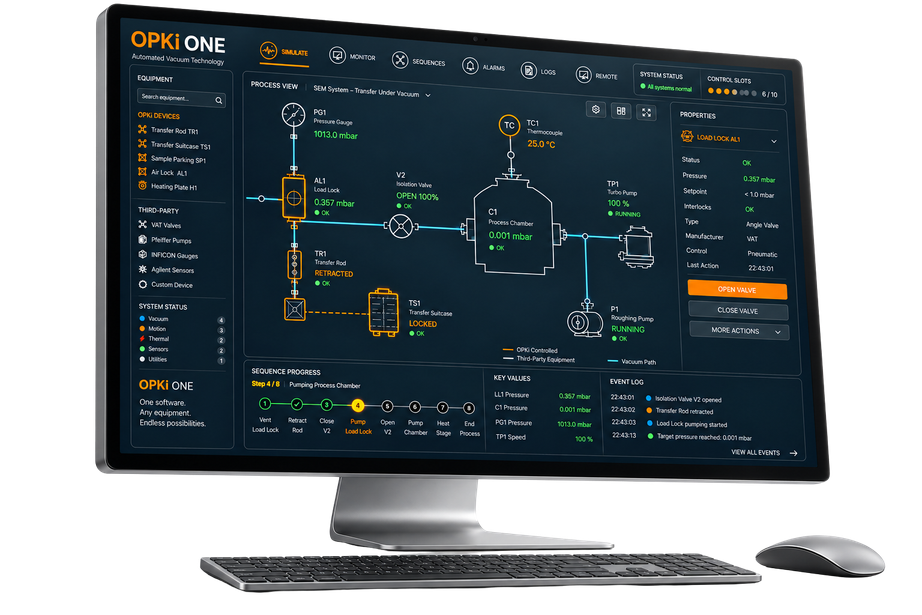
From your process to an integrated architecture.
Define the workflow
Sample format, preparation steps, vacuum conditions, interfaces and automation scope.
Design the architecture
Select modules and specify their mechanical, vacuum and control interfaces.
Integrate the system
Bring hardware, supported instruments and control functions together.
Validate operation
Review the agreed functions, sample-handling sequences and operating conditions.
What does your sample need to do?
Tell us about your process and existing instruments. We will help define the modules, interfaces and control scope for your application.